Thunderbolt vs USB-C: what is the difference?
USB-C is the shape of the plug. Thunderbolt is a faster standard that uses the same plug. Every Thunderbolt 3, 4 and 5 port is a USB-C port, but not every USB-C port is Thunderbolt. Look for the lightning bolt.

40 GbpsThunderbolt 3 and 4
80 GbpsThunderbolt 5, each way
120 GbpsThunderbolt 5 with Bandwidth Boost, one way
2011the first Thunderbolt, from Intel with Apple
Same plug, a different promise
USB-C is the shape of a plug and a port. It says nothing about speed. More in What is USB-C?
Thunderbolt is a standard from Intel, developed with Apple, for fast data, displays and power over one cable. Since Thunderbolt 3, it uses the USB-C connector. So a Thunderbolt port looks like any other USB-C port.

The lightning bolt beside the port marks Thunderbolt. A Thunderbolt 5 port carries a small 5 next to the bolt.
Every Thunderbolt port takes ordinary USB-C devices and cables. An ordinary USB-C port does not run Thunderbolt.
Five generations
- 2011: Thunderbolt 1, on the Mini DisplayPort connector, 10 Gbps per channel.
- 2013: Thunderbolt 2, still Mini DisplayPort, 20 Gbps.
- 2015: Thunderbolt 3 moves to USB-C, at 40 Gbps.
- 2020: Thunderbolt 4, still 40 Gbps, with higher minimums: two 4K displays and 32 Gbps for PCIe.
- 2023: Thunderbolt 5, shown in September: 80 Gbps each way, in computers from 2024.
Thunderbolt is backwards compatible. A Thunderbolt 4 cable works in a Thunderbolt 5 port, at Thunderbolt 4 speed.
How fast, against USB
In March 2019, Intel gave the Thunderbolt 3 protocol to the USB Promoter Group, and USB4 was built on it. USB4 runs over USB-C and works with Thunderbolt 3. Thunderbolt 5 builds on USB4 version 2. The two families now share a plug and a protocol.
Thunderbolt 4 and Thunderbolt 5
What sets Thunderbolt apart from plain USB4 is a set of minimums every certified computer must meet. Intel lists them side by side:
| Thunderbolt 4 | Thunderbolt 5 | |
|---|---|---|
| Data, each way | 40 Gbps | 80 Gbps, or 120 Gbps one way |
| PCIe | 32 Gbps | 64 Gbps |
| Displays | Two 4K | Two 6K |
| Charging, on at least one port | Up to 100 W | Up to 140 W |
| Charging, possible | Up to 140 W | Up to 240 W |
| Connector | USB-C | USB-C |

Data
Drives, docks and files, up to 80 Gbps

Picture
Two displays from one port

Power
Charging the laptop on the same cable
The cable decides
A Thunderbolt cable is also a USB-C cable: it works in any USB-C port. The reverse is not true. A charging cable with USB 2.0 data carries power at full rate, and data at USB 2.0 speed, even in a Thunderbolt port.
USB-C Cord A1 is a charging cable: 100 W with USB Power Delivery, and USB 2.0 data at 480 Mbps. In a Thunderbolt port it carries up to 100 W to the laptop. For a dock, a display or a fast drive, use a cable rated for Thunderbolt.


Charging a Thunderbolt laptop
A Thunderbolt port is a USB-C port, and in the EU a laptop covered by the common charger rules that charges by wire above 15 W must support USB Power Delivery. So a USB-C charger with Power Delivery charges a Thunderbolt laptop through its Thunderbolt port.
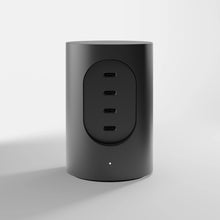
Cylindric UX1 gives up to 100 W from one port, with 165 W across four, over USB Power Delivery 3.1. More in How to choose a USB-C charger

Questions
Is Thunderbolt the same as USB-C?
No. USB-C is the connector. Thunderbolt is a standard that uses it, from Thunderbolt 3 on. Every Thunderbolt port is a USB-C port; not every USB-C port is Thunderbolt.
Can I plug a USB-C device into a Thunderbolt port?
Yes. A Thunderbolt port takes ordinary USB-C devices and cables, at the speed of the device or cable.
Can I use a Thunderbolt cable as a USB-C cable?
Yes. A Thunderbolt cable works in any USB-C port.
Is Thunderbolt 4 the same as USB4?
They share the protocol and the 40 Gbps. Thunderbolt 4 adds minimums every certified computer must meet: two 4K displays, 32 Gbps for PCIe, and charging up to 100 W on at least one port.
How do I know if my port is Thunderbolt?
Look for the lightning bolt beside the port. On Thunderbolt 5 there is a small 5 next to it.
Will Cylindric UX1 charge a laptop with Thunderbolt ports?
Yes, if the laptop charges over USB-C. Cylindric UX1 uses USB Power Delivery and gives up to 100 W from one port.